Jump to content
View in the app

A better way to browse. Learn more.

Froxlor Forum

A full-screen app on your home screen with push notifications, badges and more.

To install this app on iOS and iPadOS
  1. Tap the Share icon in Safari
  2. Scroll the menu and tap Add to Home Screen.
  3. Tap Add in the top-right corner.
To install this app on Android
  1. Tap the 3-dot menu (⋮) in the top-right corner of the browser.
  2. Tap Add to Home screen or Install app.
  3. Confirm by tapping Install.
  • Search By Tags

    Search will match any tag entered
  • Search By Author

Content Type

Forums

  • Froxlor
    • Announcements
    • Feedback
    • Development
    • Bugs and Feature Requests
    • Trashcan
  • Support
    • General Discussion
  • Other Languages
    • German / Deutsch

Find results in

Find results that contain...

Date Created

  • Start

    End

Last Updated

  • Start

    End


Filter by number of...

  • Minimum number of replies

  • Minimum number of views

Found 1 result

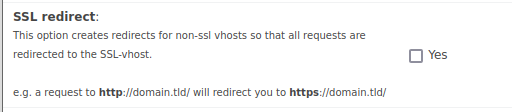
  1. Hi, We have noticed letsencrypt crons getting failed with the below message. Current froxlor version is 0.10.34.1 (DB: 202112310). I have replaced actual domain with domain.com. [error] Could not find certificate-folder '/root/.acme.sh/domain.com/' [error] Could not get Let's Encrypt certificate for domain.com: I have tried disabling SSL and letsencrypt for the website and rerun the crons. After than I have re enabled it once again and manually triggered the cron. Meanwhile the debug also has the same information. Can you let me know why this error is ? And is there a permanent solution for the same? /usr/bin/php7.3 -q /var/www/froxlor/scripts/froxlor_master_cronjob.php --debug --force Is it something related to froxlor setting of SSL forced redirect? is it affecting the renewal? SSL redirect: This option creates redirects for non-ssl vhosts so that all requests are redirected to the SSL-vhost.


Configure browser push notifications

Chrome (Android)
  1. Tap the lock icon next to the address bar.
  2. Tap Permissions → Notifications.
  3. Adjust your preference.
Chrome (Desktop)
  1. Click the padlock icon in the address bar.
  2. Select Site settings.
  3. Find Notifications and adjust your preference.