
dyers
-
Posts
7 -
Joined
-
Last visited
-
Days Won
1
Everything posted by dyers
-
Will do, thanks! And thanks for the awesome work the froxlor team does, been using and recommending this software for... wow... is it 12 years now?
-
Everything is now working except one page in the admin panel: If I go to Traffic -> Customers and select the first customer by the link on their name I get an empty page. URL: https://froxlor/admin_customers.php?page=customers&action=su&id=0 But if I select any other customer I jump into the specific customer panel dashboard of another customer. (the "impersonate" feature, but for the wrong customer - not the one I clicked on.) eg: https://froxlor/admin_customers.php?page=customers&action=su&id=1 I found out that this is happening because there is no user with id 0 in my database. It seems to be a bug in the table, as it's simply enumerated from 0-n, instead of using the actual users id. The same user having the link with id=0 above actually has id=7 under Resources -> Customers, where the link works fine: https://froxlor/admin_customers.php?page=customers&action=su&sort=customerName&id=7 Same for the mismatched customer links. The ids are just ascending no matter the name of the customer (as it seems). If I manually edit the link to: https://froxlor/admin_customers.php?page=customers&action=su&id=7 the link works as expected. So this seems to be a bug in the table, right? Btw: The issues with chrome continued with clean caches until I deleted the cookies for the froxlor admin panel 😕
-
Not by the froxlor team! Somebody must have intervened manually, as it has now a very specific name I recognise from the server owner
-
So I feel stupid. I changed the BROWSER from Chrome to Safari. And the page appeared after login just fine -.- and the upgrade worked fine too... Thank you for your time @d00p, sorry for wasting it. 😕 PS: I am now setting up all services again, so maybe I come back soon(tm) with new issues. I meant the froxlor user Admin has been renamed. Good to know! Yeah, I though the message meant the login has been denied, it doesn't though.
-
I am one step further. mysql is throwing errors for a denied user. Thanks to the new ambiguous error reporting I cannot see which one, but from the time its fairly certain it's froxlor. 2024-02-03T21:50:43.502355Z 298 [Warning] [MY-013360] [Server] Plugin mysql_native_password reported: ''mysql_native_password' is deprecated and will be removed in a future release. Please use caching_sha2_password instead' 2024-02-03T21:50:43.814065Z 299 [Warning] [MY-013360] [Server] Plugin mysql_native_password reported: ''mysql_native_password' is deprecated and will be removed in a future release. Please use caching_sha2_password instead' 2024-02-03T21:50:43.853263Z 300 [Warning] [MY-013360] [Server] Plugin mysql_native_password reported: ''mysql_native_password' is deprecated and will be removed in a future release. Please use caching_sha2_password instead' However when I login from the command line, using the user and password provided in userdata.inc.php: <?php //automatically generated userdata.inc.php for Froxlor $sql['host']='127.0.0.1'; $sql['user']='froxlor'; $sql['password']='secret'; $sql['db']='froxlor'; $sql_root[0]['caption']='Default'; $sql_root[0]['host']='127.0.0.1'; $sql_root[0]['user']='root'; $sql_root[0]['password']='evenmoresecret'; ?> I get no error: $ mysql -u froxlor -p Enter password: Welcome to the MySQL monitor. Commands end with ; or \g. Your MySQL connection id is 301 Server version: 8.0.36-0ubuntu0.22.04.1 (Ubuntu) Copyright (c) 2000, 2024, Oracle and/or its affiliates. Oracle is a registered trademark of Oracle Corporation and/or its affiliates. Other names may be trademarks of their respective owners. Type 'help;' or '\h' for help. Type '\c' to clear the current input statement. mysql> use froxlor; Reading table information for completion of table and column names You can turn off this feature to get a quicker startup with -A Database changed mysql> SELECT `value` FROM `panel_settings` WHERE `varname` = 'passwordcryptfunc'; +-------+ | value | +-------+ | 2y | +-------+ 1 row in set (0.00 sec)
-
This folder doesn't even exist I just removed the fpm configuration for the froxlor vhost - still no joy and same behaviour as detailed above. I also checked the database for the local froxlor user. User with adminid 1 seems to have been renamed in the past to a custom login name. But that shouldn't be an issue, should it? I checked the used crypt method: SELECT `value` FROM `panel_settings` WHERE `varname` = 'passwordcryptfunc' which came back as '2y' 2 should be blowfish, correct? How can I match - or regenerate a new password for the user? Although I am certain that it still worked before and after the upgrade to 20.04, where I logged in to froxlor for a quick sanity check. The server was from 2018, so yeah, it DID exist - I installed libnss-extrausers now. Thanks for your suggestions!
-
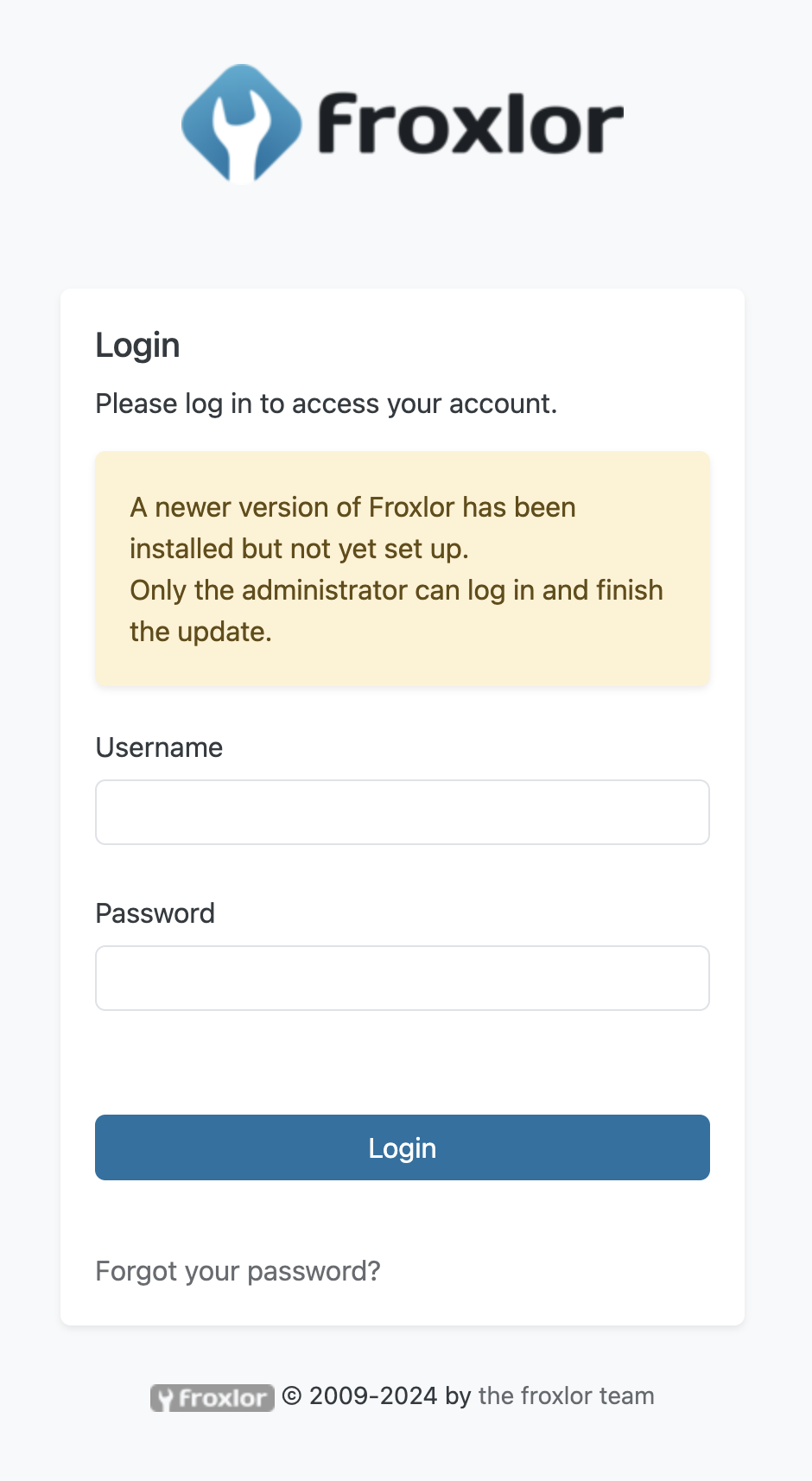
Good day to you, or good night, depending on the rotation of your location I have upgraded a server running Froxlor 0.10.x from Ubuntu 18.04 in the following way: disabled all external sources Ubuntu 18.04 -> 20.04 remove froxlor package, as it was blocking due to unmet dependencies (same with ibnss-mysql-bg) Ubuntu 20.04 -> 22.04 followed upgrade guide from 0.10 -> 2.0 -> 2.1 (dovecot & proftpd) added froxlor repo Froxlor install 2.1.6-1 Froxlor page not found fixed location in froxlor vhosts, apparently moved from /var/www/froxlor to /var/www/html/froxlor page shows internal server error, logs show php7.4-fpm not available (duh) fixed php-fpm failures: since it was looking for 7.4 I manually edited the froxlor vhost to 8.1 Froxlor page reachable and shows: However any login throws me back to above page with no additional shown errors or changes. Looks like a simple page refresh. There are no errors in /var/log/apache2/error.log, so I created an error config in the vhost I am accessing (ErrorLog "/var/log/apache2/froxlor_error.log") -> file remains empty. At this point I am out of ideas and hope that somebody can help me. 🙏